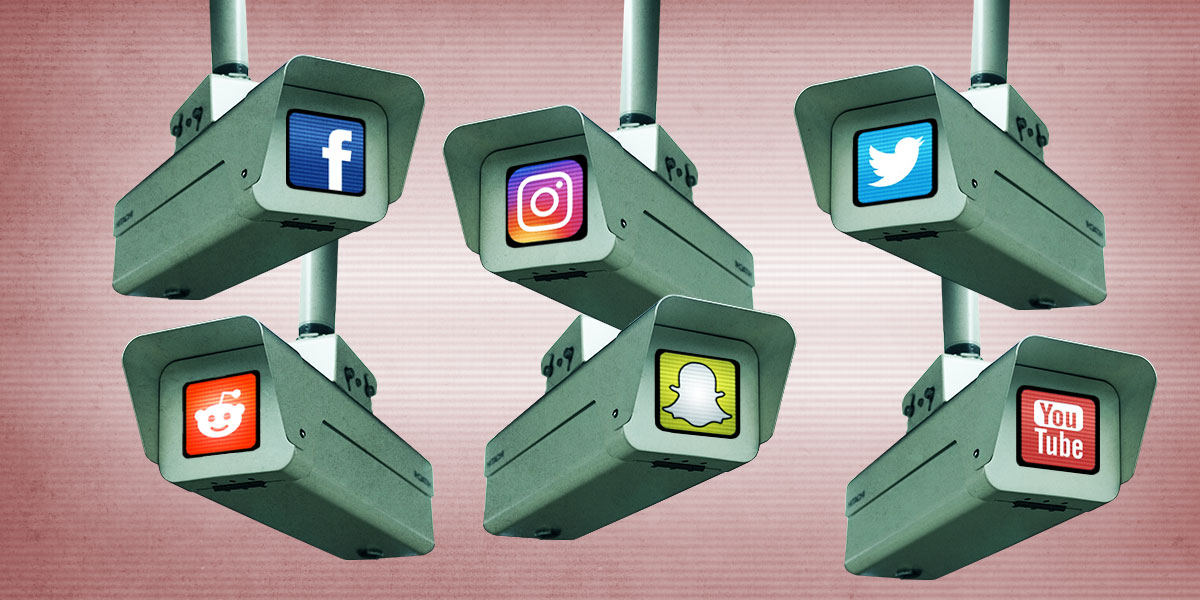
Rarely in modern US history have so many Americans opposed the actions of the federal government with so little hope for a top-down political solution. That’s left millions of people seeking a bottom-up approach to resistance: grassroots organizing.
Yet as Americans assemble their own movements to protect and support immigrants, push back against the Department of Homeland Security’s dangerous incursions into cities, and protest for civil rights and policy changes, they face a federal government that possesses vast surveillance powers and sweeping cooperation from the Silicon Valley companies that hold Americans’ data.
That means political, social, and economic organizing presents a risky dilemma. How do you bring people of all ages, backgrounds, and technical abilities into a mass movement without exposing them to monitoring and targeting by a government—and in particular Immigration and Customs Enforcement and Customs and Border Protection, agencies with paramilitary ambitions, a tendency to break the law, and more funding than some countries’ militaries.
Organizing safely in an age of surveillance increasingly requires not only technical security know-how, but also a tricky balance between secrecy and openness, says Eva Galperin, the director of cybersecurity at the Electronic Frontier Foundation, a nonprofit focused on digital civil liberties. “You may want to limit access to some information to a smaller group of people, and you need to consider the platforms you are using, so that when law enforcement shows up to Google with a subpoena, there’s nothing sensitive it can hand over,” says Galperin. “But you have to weigh that against the fact that the majority of organizing is done in public, with other people, because the power of organizing is in numbers and solidarity.”
There’s no simple set of tech tips that can help organizers safely build a movement while facing that dilemma, but there are approaches, guidelines and tools that can help. WIRED asked technologists, activists, aid groups, and cybersecurity experts for their guidance on how to organize and collaborate in an age of surveillance. Here’s what we found.
Decide What to Protect
The first step to safer and more surveillance-resistant organizing is what digital security experts and organizers call “threat modeling”: Gaming out what potential adversaries might seek to surveil and what needs to be protected. That means creating clear delineations around what information can be public or which conversations can happen on less private platforms, versus which aspects of your organizing must stay secret. You’ll almost certainly need a mix of both approaches.
“If you have no rules on what should or should not be encrypted or secured, then you’re going to want to encrypt every single thing,” says Matt Mitchell, a former founder and security trainer at CryptoHarlem and now CEO of the risk-mitigation firm Safety Sync Group. “It comes from a good place, but that creates a lot of barriers and makes it more likely that someone will make mistakes.”
EFF’s Galperin suggests one guideline is to think about what will inherently become public anyway and when. You may want to keep the time and place secret for a small in-person planning meeting, but if something is going to soon be in the open—like the organizing of a massive rally that involves seeking permits from city officials—there’s less pressure to lock down the planning.
Galperin warns that too much secrecy can be unwelcoming for new members of a movement and self-defeating. “A very, very large part of activism is telling people what you’re doing,” she says. “It’s casseroles and phone trees. It is deeply unsexy, but also not secret work.”
Taylor Fairbank, cofounder of the humanitarian relief group Distribute Aid, says, for example, that most of the logistics and communication work the organization does to connect specific supplies with communities in need can be done—or even must be done—in the open or on platforms that could be surveilled. “I will never be able to leave Facebook because I have the cutest grandparents in the UK who reach out to me once a year offering a bunch of knitted hats and sweaters to send to a refugee camp in Europe,” he says. “It’s my job to be available and to be on insecure tools to help match those opportunities and translate that across geographical boundaries.”
Crucially, though, some information, like the locations of Distribute Aid warehouses, is carefully protected. “We will never post warehouse addresses online, because we have seen our warehouses and our partners’ warehouses get targeted for theft and political violence,” Fairbank says. “I really recommend explicitly identifying sensitive data and holding that close.”
That means considering, for every kind of collaboration or communication, whether and how it needs to be protected. For each element of an organization’s digital footprint that truly must stay secret, you’ll need to take measures to encrypt it, delete it after a certain time, store it under your own control instead of in the cloud—or both. The next section includes some of the tools and tactics experts recommend.
TLDR: Trying to keep everything secret is neither practical nor always desirable. Instead, create a threat model: Identify what’s sensitive, make an effort to protect it by encrypting it, storing it in a safe place, or deleting it after a certain time—and worry less about the stuff that will eventually be public anyway.
Lock Down Your Communications
The core, default tool for text and voice communications recommended by every activist and security expert WIRED spoke to remains the encrypted messenger Signal. That’s because Signal is end-to-end encrypted—meaning that only the phones or PCs of the participants in a conversation can decrypt its communications—and it’s battle-tested, free, open source, popular, and simple enough to allow seamless onboarding of new members of an organization. Unlike WhatsApp, which also uses Signal’s encryption protocol for its own end-to-end encrypted messaging and calls, Signal doesn’t log metadata such as who is calling or texting whom, a crucial privacy feature. Finally, Signal has become increasingly reliable, even for group video calls, making it a key alternative to not only email but also Zoom or other video meeting tools.
A few practices can still vastly increase the security Signal offers. Just as important, perhaps, as Signal’s encryption is its disappearing message feature, which lets you keep messages for a set amount of time, from four weeks to as little as 30 seconds. Turn it on. Even with a countdown clock as long as one week for less sensitive conversations, you’ll significantly reduce the risk of your organization’s communications leaking. Also, take advantage of Signal’s username feature rather than asking new members for their phone number, which can further limit a group’s potential exposure of identifying contact info.
As your organization’s Signal groups grow, however, keep in mind that encryption doesn’t offer magical protection from leaks by a group’s members—a lesson made all too clear by the Trump administration’s SignalGate scandal. As a Signal group grows beyond a certain size, it’s likely that newly invited members haven’t been strictly vetted. “If your group has more than 50 people in it, it’s not a private space for communication,” says Galperin. Keep truly sensitive information to the smallest possible groups, or to one-on-one communications.
End-to-end encryption, too, only offers as much security as the devices on either end. Group members should set up authentication to access the Signal app itself—go to Screen Lock under the Privacy menu in Signal’s settings. For organization members with access to sensitive data and Signal groups, make sure everyone has set up a strong passcode, and consider disabling biometric access for that screen lock. Better yet, turn off all biometric access to the phone or computer Signal is running on, given that face- or fingerprint-based unlocking methods have fewer Fourth Amendment protections from law enforcement searches. (As the case of Washington Post reporter Hannah Natanson demonstrated, biometric access to a PC with a Signal desktop app can give authorities access to your linked Signal account, no matter how carefully you’ve locked down your phone.)
If that level of security is too cumbersome, Galperin suggests that applying it to a second device intended for sensitive organizational communications. Think of it not so much as a “burner phone” as an “alt phone” with more security measures. This can be a good practice for members of a group with the most reason for caution. “Compartmentalization is good,” Galperin says, “so that you don’t mix up these two parts of your life—one where you have to be extremely careful and one where you can kind of just live your normal life and do your work.”
In recent years, plenty of other encrypted communications apps have risen in popularity in the security community, some of which have been touted as superior to Signal, such as SimpleX, Session, and forks of Signal—which aren’t interoperable with Signal itself. But none of the experts WIRED asked about these alternatives recommended switching, in part due to their relative lack of testing and the organizational cost of asking people to use a less familiar, often more complex tool. They also warned against using private messaging features on social media apps, despite their convenience for organizers, due to those tools’ relative lack of privacy promises or strong encryption.
One communication tool that Signal can’t easily replace, the security experts WIRED spoke to conceded, is Slack. The app’s flexible group messaging and notification features often make it feel far more efficient than Signal for complex organizing among teams. But given that Slack has no end-to-end encryption or disappearing message features and is centrally hosted by a company that responds to law enforcement requests, it represents a potential privacy nightmare for organizers, warns Harlo Holmes, a security trainer and director of digital security at the Freedom of the Press Foundation. (All of this applies to Discord as well.) She points out that even the name originally stood for Searchable Log of all Communications and Knowledge—not a good place to keep sensitive information safe. “Slack is designed to feel like the water cooler, so you can just say what you want,” Holmes says. “But it’s not your friend.” (Disclosure: WIRED’s global editorial director sits on the Freedom of the Press Foundation’s board.)
As a safer alternative, Holmes and other cybersecurity experts recommended tools like Mattermost and Matrix, which feature more security measures: Matrix offers end-to-end encryption, both tools offer timed auto-deletion for messages, and both can be self-hosted—set up on a server your organization owns and runs itself, rather than one in the hands of a company like Slack. Self-hosting presents its own significant security challenges—more on that below—but may still be preferable to putting all your communications history in the hands of a third-party firm that could offer little resistance or transparency when an authority figure demands the company hand it over.
TLDR: Use Signal for as many texts, calls, and video chats as possible, and set up disappearing messages. Just remember that encryption isn’t magic. Consider the security of the devices on each end of the conversation—and how much you trust everyone in it.
Use Secure Collaboration Tools
Organizing involves a lot of, well, organization. Whether you need a spreadsheet to schedule community watch slots with your neighbors or a set of planning documents that multiple group members can regularly update, cloud-based tools that sync automatically like the Google Docs Suite or Microsoft Office 365 will naturally be most people’s go-to. But they also leave your group’s information in the hands of Google or Microsoft, which can revoke your access if they choose to or hand your data over to any federal agency that legally demands it.
That presents a tough decision: These types of tools are undeniably vulnerable to surveillance, but they’re recognizable and accessible—essential attributes when you are potentially collaborating with people of all different backgrounds and ages.
There’s an expensive solution to that quandary: Organizations with a big budget can pay to implement an enterprise “client side” encryption scheme, using a platform like Google Docs but managing the encryption keys for their data with a third party like Virtru, so Google or another platform provider is shut out. For regular people who can’t afford to spend thousands of dollars a year on such a setup, though, experts say there’s still a place in most threat models for normal, unencrypted Google Docs—as long as you understand the risks.
“Will Google hand over your data to the feds if they serve them with a subpoena? Yes. Is it still basically a functional tool for the thing that you’re trying to do? Yeah,” says Evan Greer, the director of nonprofit advocacy group Fight for the Future. “And would I tell you to switch to some cool open-source alternative in the middle of the fight? Not necessarily. We’re in a crisis moment right now. I want organizers out there fighting and organizing, not figuring out how to configure their email.”
The good news is that, if you do need to prioritize security in collaboration tools without the expense of an enterprise client-side encryption setup, there’s a growing list of cheaper options that are still safer than the mainstream, consumer cloud. The Switzerland-based company Proton offers a suite of end-to-end encrypted tools, including its flagship email service Proton Mail as well as Docs, Sheets, Calendar, and Drive.
(A note here about the Proton Mail part of that suite of tools: Keep in mind that if you use it, your emails are only end-to-end encrypted when messaging with other Proton Mail accounts. If you email a Gmail account from Proton Mail, your message is treated like any other on Google’s end. Better to stick with Signal, which isn’t interoperable with messaging platforms that aren’t end-to-end encrypted, so it’s harder to make a mistake that exposes your communications.)
Free Proton accounts come with 1 GB of storage, and the company offers $13- and $20-per-month plans that include more storage and other features like expanded account protection. Proton also has business products for large organizations. (For cloud storage, another Swiss company called Tresorit offers an end-to-end encrypted option that’s not open source, but that some experts recommended.)
Offering synchronous collaboration tools while keeping everything end-to-end encrypted is complex, and Proton’s offerings aren’t quite as easy to use or chock full of features as traditional web platforms. (Its word processor doesn’t even split documents into pages, Safety Sync’s Matt Mitchell points out.) But the fact that the user interface is straightforward and familiar goes a long way—an approach the company has been focused on for years now.
Proton products are open source and independently audited. Keeping the company’s operations in Switzerland also provides some additional legal protections on data privacy. Multiple sources noted to WIRED, though, that there have been situations where law enforcement compelled Proton to produce metadata about certain customers, including a case in 2021 where Proton logged the IP address and device ID of a French activist at the behest of Swiss law enforcement.
Better than a server owned by a Swiss company, in some respects, is one your organization owns and controls itself. Fight for the Future’s Greer points to “self-hosted” options as another approach to making your organization’s data less resistant to surveillance: Nextcloud offers a Google Docs-like collaboration suite that organizations can set up on their own server—a kind of “private cloud.” Another tool set called Cryptpad offers the same self-hosted option and also end-to-end encrypts your data. That keeps data out of the hands of an untrusted company, while still keeping it protected, in theory, even if your organization’s own Cryptpad server is seized or compromised.
A major warning here, however: Self-hosting is hard. It requires a dedicated IT person to maintain infrastructure, keep a network secure, update software, and respond–sometimes in the middle of the night—if a server crashes. “People doing activism talk about hosting things locally and think it will be more secure. That depends: How good a systems administrator are you?” says the EFF’s Galperin. “Let me tell you, trying to keep your server up and running and secure is not a part-time job. It is very, very hard to do correctly.”
For a well-resourced, sufficiently tech-savvy organization, however, it can be a powerful option. Fight for the Future, for instance, has over the last year largely “de-Googled,” Greer says, switching most of its tooling to end-to-end encrypted or self-hosted alternatives including Signal, Nextcloud, Matrix, and the self-hosted wiki tool Outline. (Greer adds that the move was partly driven by security, and partly by a sentiment she describes as “fuck these Big Tech monopolists, we don’t want to use their software if we don’t have to.”) Distribute Aid’s Fairbank notes that some nonprofit organizations, like Movement Infrastructure Research and Rise Against Big Tech, may be able to offer assistance.
One more risk to keep in mind: Web-based services offer the convenience of being able to access them from any browser, but if the encryption underlying a secure platform is compromised—say, by a company legally compelled to undermine its security or whose server is seized—it can expose all your browser-based activity in that web tool without any signs of a change. To be maximally cautious, the most secure way to use end-to-end encrypted platforms is in desktop and mobile applications where you’ve already downloaded and installed the software that implements the encryption scheme, and that can only be altered by installing an update. Nextcloud and Cryptpad both offer stand-alone applications, while Proton has them for services like Mail and Calendar, but not Docs and Sheets.
Setting aside the entire privacy spectrum of cloud-hosted collaboration tools, there’s also the old fashioned way: keeping a copy of files locally on your own computer. Collaborating within a small group on the draft of a truly secret document? Take turns editing it on one PC at a time with a text editor before passing it to the next editor over Signal.
For all these approaches, from the fully public to the paranoid, the same principle applies as in a Signal conversation: A piece of information is only as secure as the least secured device that accesses it. So as you consider your threat model and whose devices and accounts within your group have access to your most sensitive data, make sure they’re appropriately locked down: That means full-disk encryption—here’s a breakdown for Windows and Mac—strong passwords (we recommend a password manager), and multifactor authentication on all accounts for both cloud- and self-hosted services.
TLDR: A growing spectrum of collaboration approaches offer a range of options: from insecure-but-accessible Google Docs, to end-to-end encrypted or self-hosted tools like Proton and CryptPad, to storing and editing files locally and sharing them over Signal. Choose what works best for you based on your threat model.
Meet IRL Safely
If you’re in the same region as people you’re organizing with, does it make sense to bypass all of these digital gymnastics and just hang out? In many cases the answer is a resounding yes, experts told WIRED—but there are caveats here, too. First you should do the same threat model evaluation for in-person meetings that you did for your digital organizing: Is the association between you and the people you would be meeting already public? Or is it a secret that you know each other and work together? Carry out this same evaluation for the location where you would meet and anywhere else you would go together, just as you would for where and how you host sensitive data.
If you cannot be spotted together or be seen coming or going from a secret or sensitive location, meeting in person may not offer privacy benefits. You could be observed by bystanders, followed by law enforcement, or tracked via cell phone data, surveillance cameras, face recognition, automatic license plate readers, or any of the myriad ways that you can be surveilled in the physical world.
Just as with your threat model assessment for your data, there are no doubt plenty of situations where your affiliation is already public or non-sensitive—meeting people you know from your neighborhood, for example, or people you regularly volunteer with through a religious group, labor union, or other non-secret organization. If you can be seen together without giving away anything sensitive, experts emphasize that in-person meeting is one of the most valuable and potentially secure ways to collaborate.
“The communication that people have together physically can never be replaced, and I champion it,” Freedom of the Press Foundation’s Holmes says. “I would like to say that the best encryption is the noisy bar where you’re whispering to somebody. But we always do have to think about surveillance architecture, which is incredibly prevalent.”
TLDR: Meeting in person eliminates many technical vulnerabilities that could compromise your organization’s privacy and security. But consider your threat model: If the very fact of your meeting needs to stay a secret, physical surveillance can make in-person meetings just as–or even more—risky than digital communications.
Assess, Then Act
The truth, says Distribute Aid’s Taylor Fairbank, is that all organizing that runs counter to the interests of the powerful, digital or physical, carries a threat of surveillance and its consequences. “There’s always going to be some inherent risk to helping other people, unfortunately,” says Fairbank. “That’s the reality that we live in, so think about what you’re doing. Build your own threat model. And if you’re not willing to accept the inherent risks of doing something, then don’t do it.”
But Fairbank also says that those considerations shouldn’t prevent people from acting. “Look at the risk in context, make informed choices, try to be as safe as possible,” says Fairbank. “But, my God, go out there and help people. Because we need it.”
ZNetwork is funded solely through the generosity of its readers.
Donate